LegalOS
The physical case file, retired. Legal-practice software for Indian advocates, developed and operated in-house by LegelpTech.
In-house product engineering
The digital case file for Indian litigation practice
Indian advocates run their practice out of physical case files: bundles of FIRs, chargesheets, orders, evidence and handwritten research notes. Tools on the market track case status or search case law. None of them hold the advocate's own annotated file.
LegalOS is that file, digitised. Every document in a matter is OCR'd and searchable, excerpts stay anchored to the exact spot they came from, questions are answered from the file with citations, drafts are dictated and filed, and clients see only what the advocate chooses to share.
It is designed, built and operated by LegelpTech Outsourcing Private Limited's own engineering team, for litigation-focused solo advocates and small firms in India.
What it does
Seventeen features across six areas
Research and the case file
The physical bundle, retired. Every document searchable and citable.
Digital case file
Every document in one searchable place
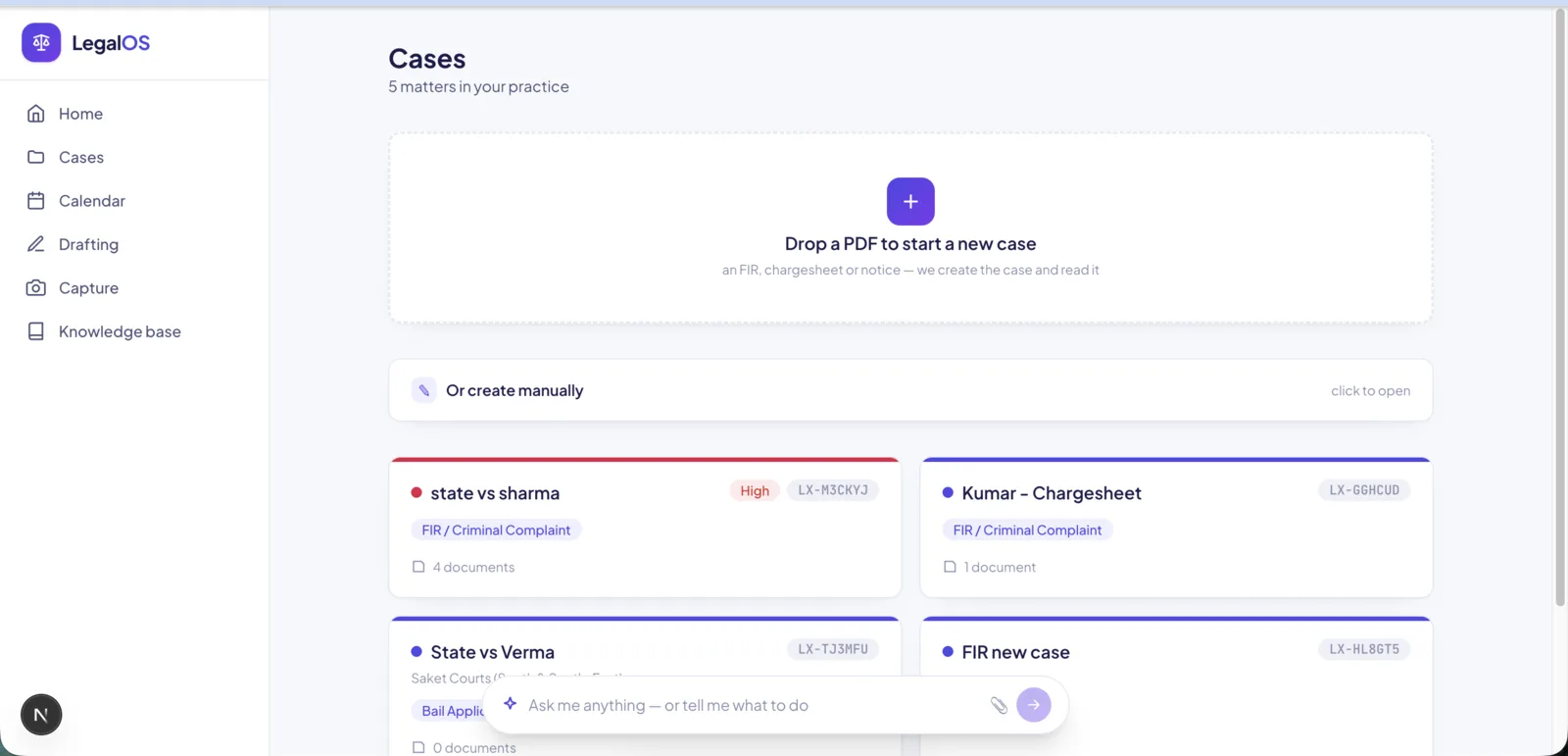
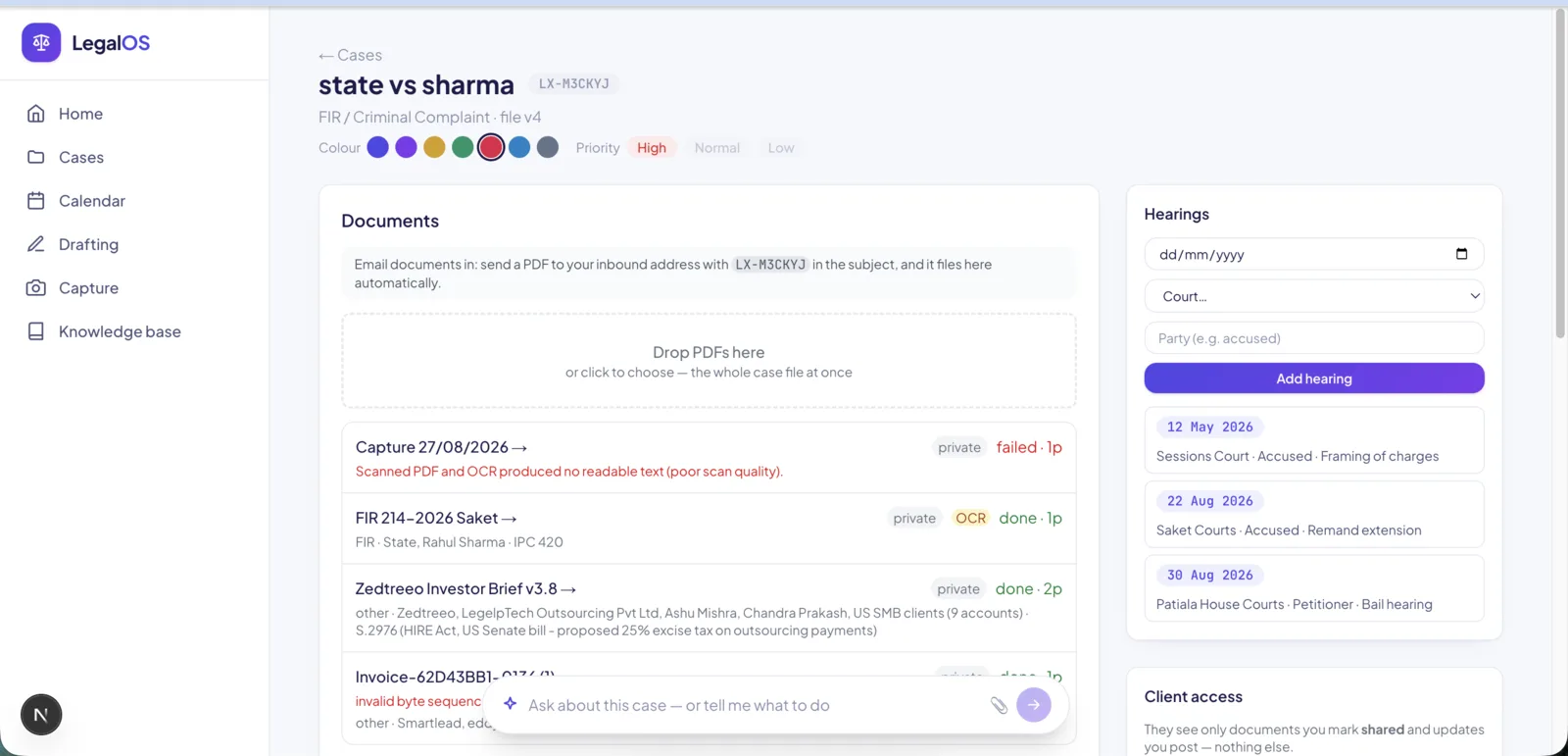
Upload or drag-drop PDFs, or email them in with the case reference in the subject and the document files itself into the right case. Each becomes part of a searchable case file.
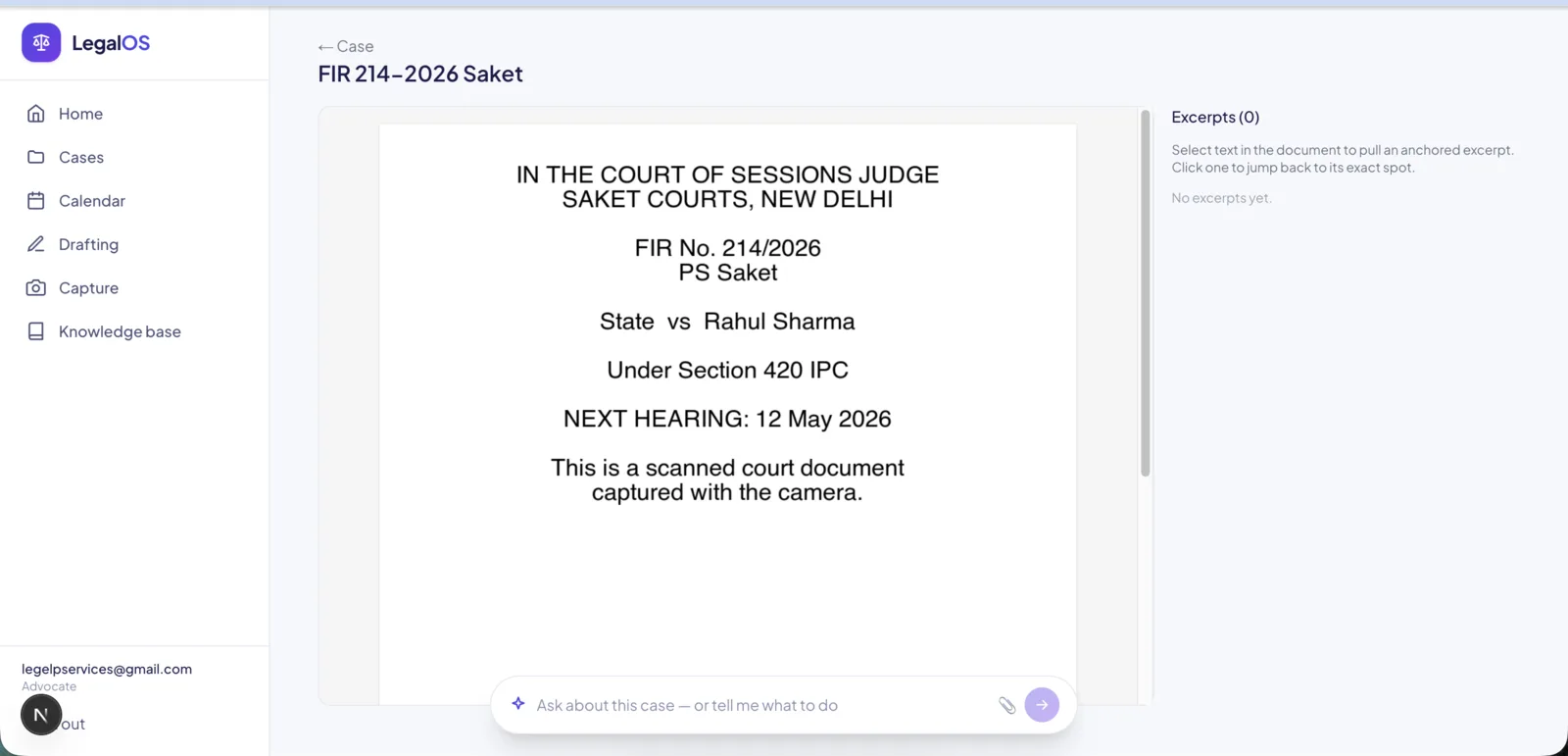
PDF research and anchored excerpts
Highlight by touching the text
Select text in any document to pull an excerpt anchored to that exact spot, and click it later to jump straight back. Highlights hold at any zoom.
OCR for scanned documents
Indian court scans, made searchable
Scanned or photographed PDFs are read page by page with on-device OCR in English and Hindi, so even a scanned order becomes text you can search and cite.
Ask the case file
Answers grounded in your documents, with citations
Ask a question in plain language and get an answer drawn from the case documents with page-level citations. Repeat and similar questions are served from cache.
The AI assistant
Do the work by conversation. The same actions as the buttons.
Case assistant
Act on a case by chatting
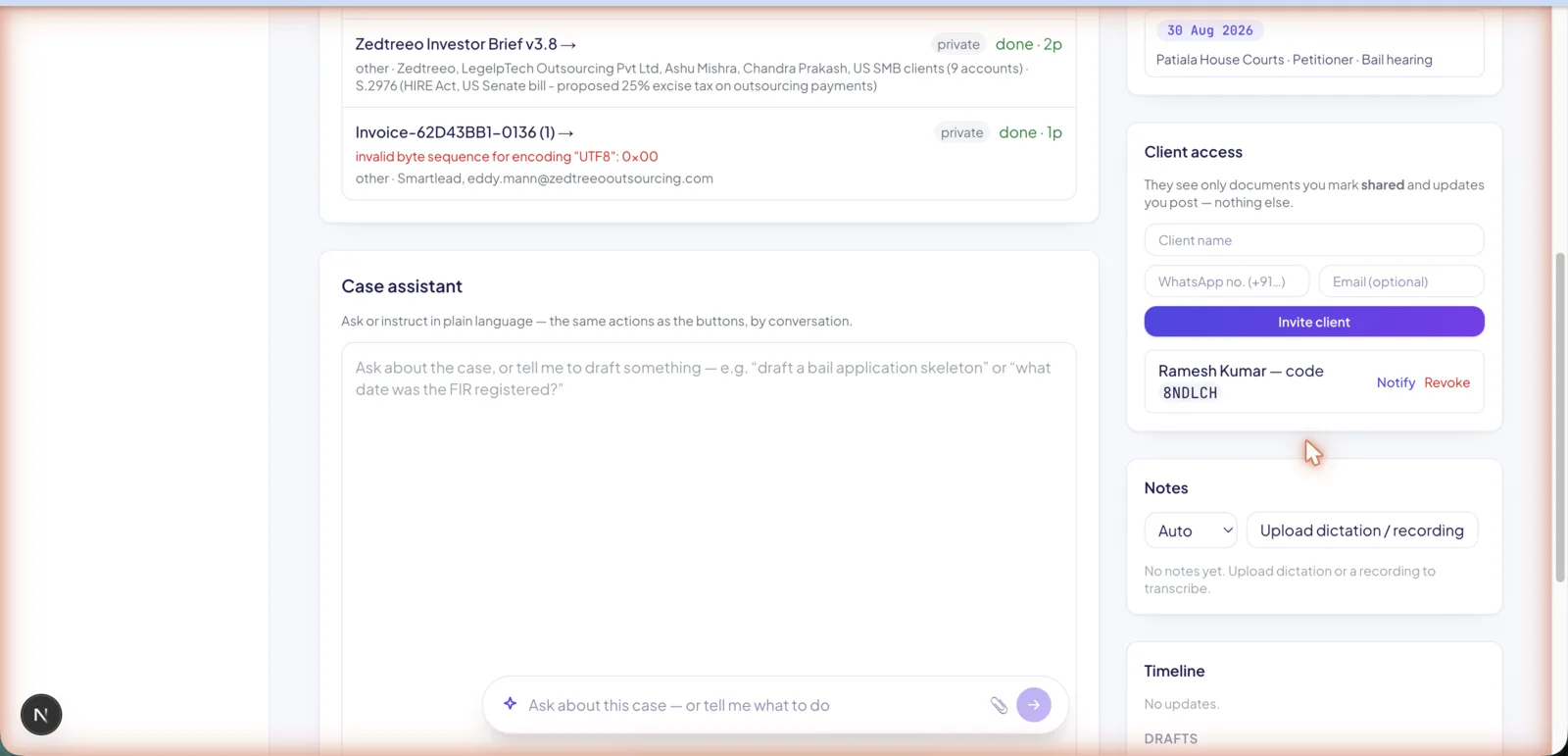
Ask about the case or instruct it to draft a document, schedule a hearing, or post a timeline update. Every action runs the same server function the buttons use, so chat and interface never drift.
Global command bar
Ask, or tell it what to do, on every screen
Create a case, even from a dropped PDF, or find a case or draft. On a case page it becomes case-aware: "what documents are here?", "draft a bail application for this case".
Private, low-cost AI
Case material stays on the machine
Embeddings, OCR and speech-to-text run locally by default, so case material never leaves the box. A strict answer cache means tokens are spent only on genuinely new questions.
Drafting
Talk a draft out, tidy it up, and file it to a case.
Dictation and drafting pad
Dictate, edit, export
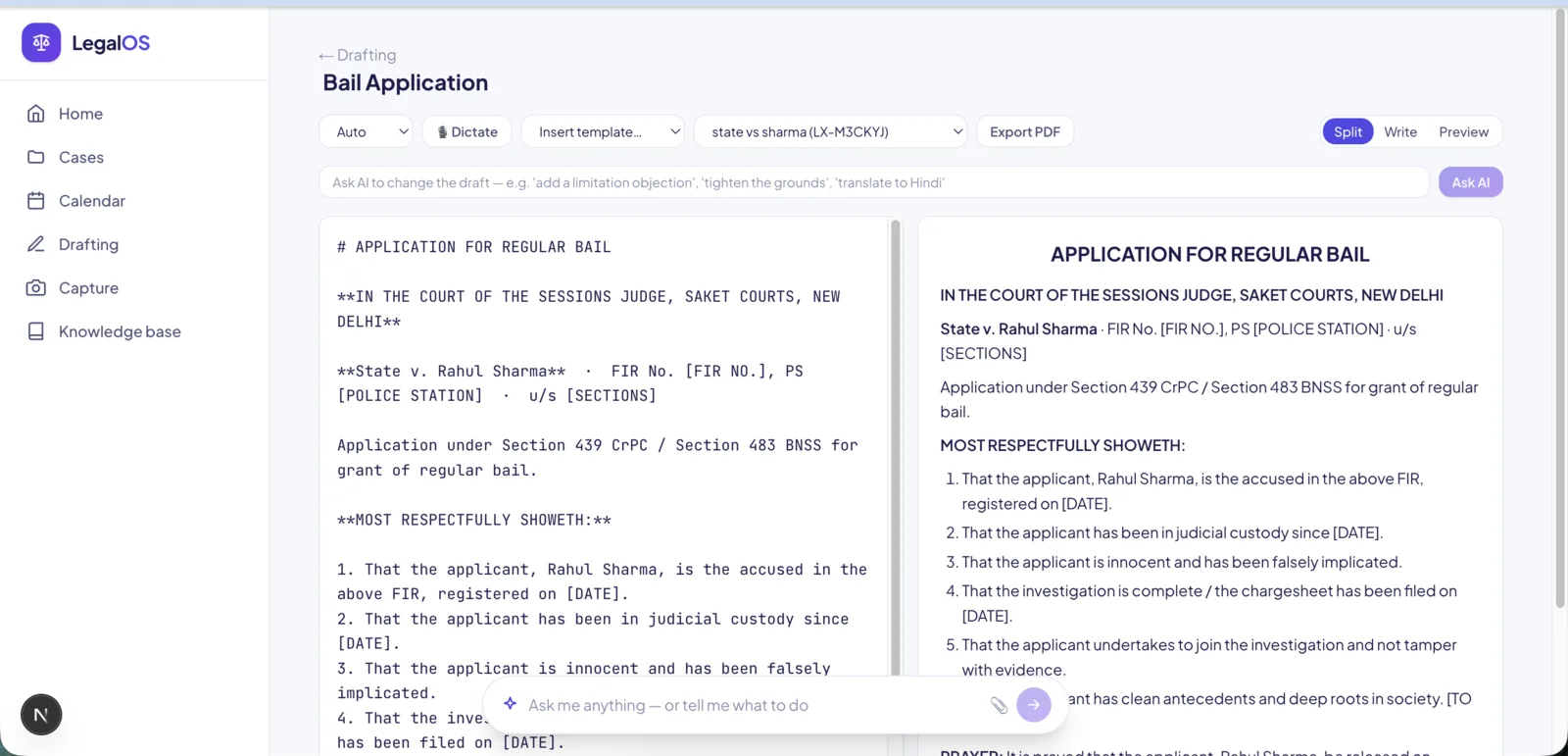
Dictate a draft by voice in English or Hindi, edit it as markdown with a live preview, ask the AI to redraft or tighten it, and export a clean PDF.
Litigation templates
Start from a skeleton
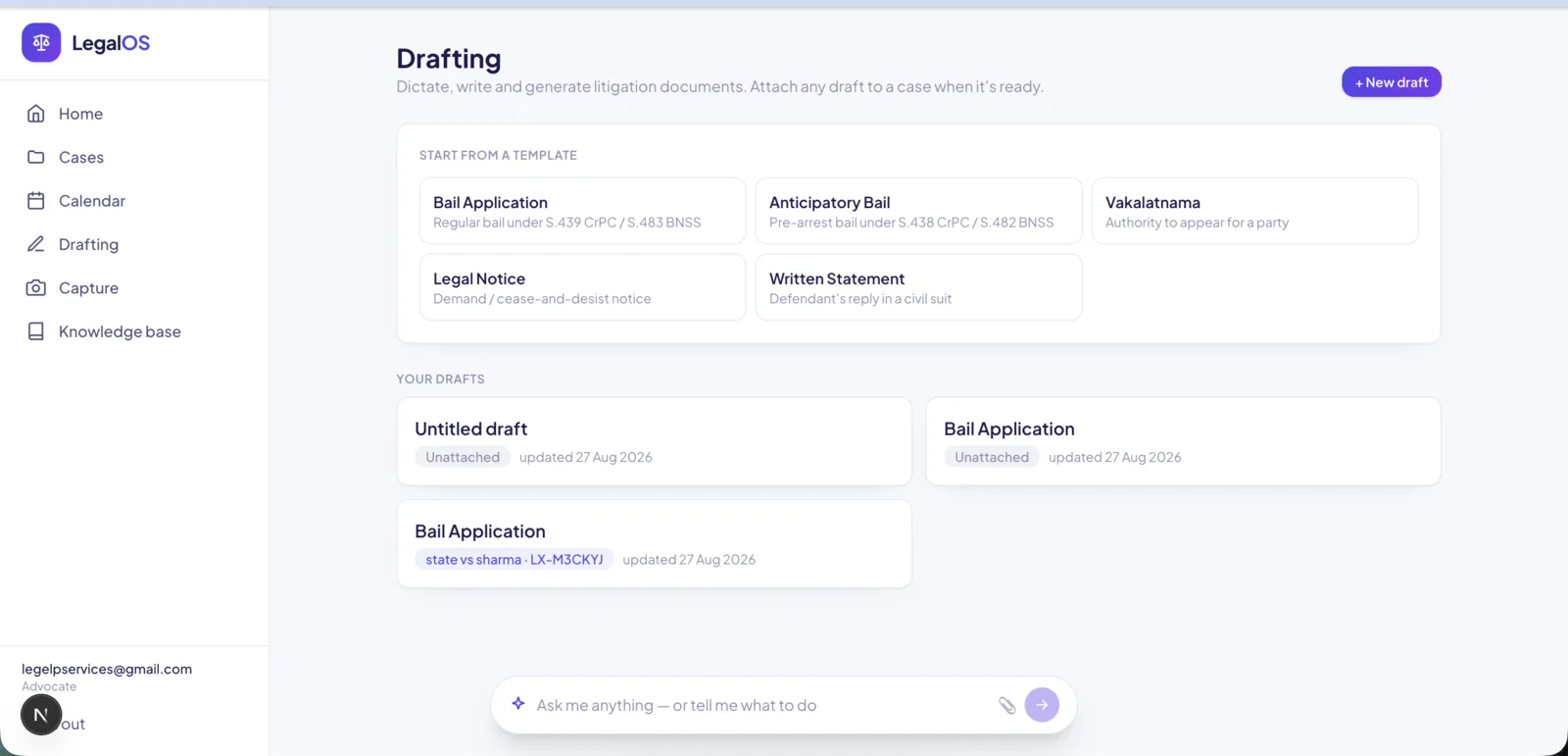
Bail, anticipatory bail, vakalatnama, legal notice, written statement. Insert a template and fill it, or ask the AI to tailor it to the case facts.
Attach to any case
A library that files later
Drafts live in their own library, unattached, and can be attached to any case when ready, filing a copy into that case’s documents.
Capture
Turn paper on the desk into a searchable case document.
Camera capture
Photograph a document, file it
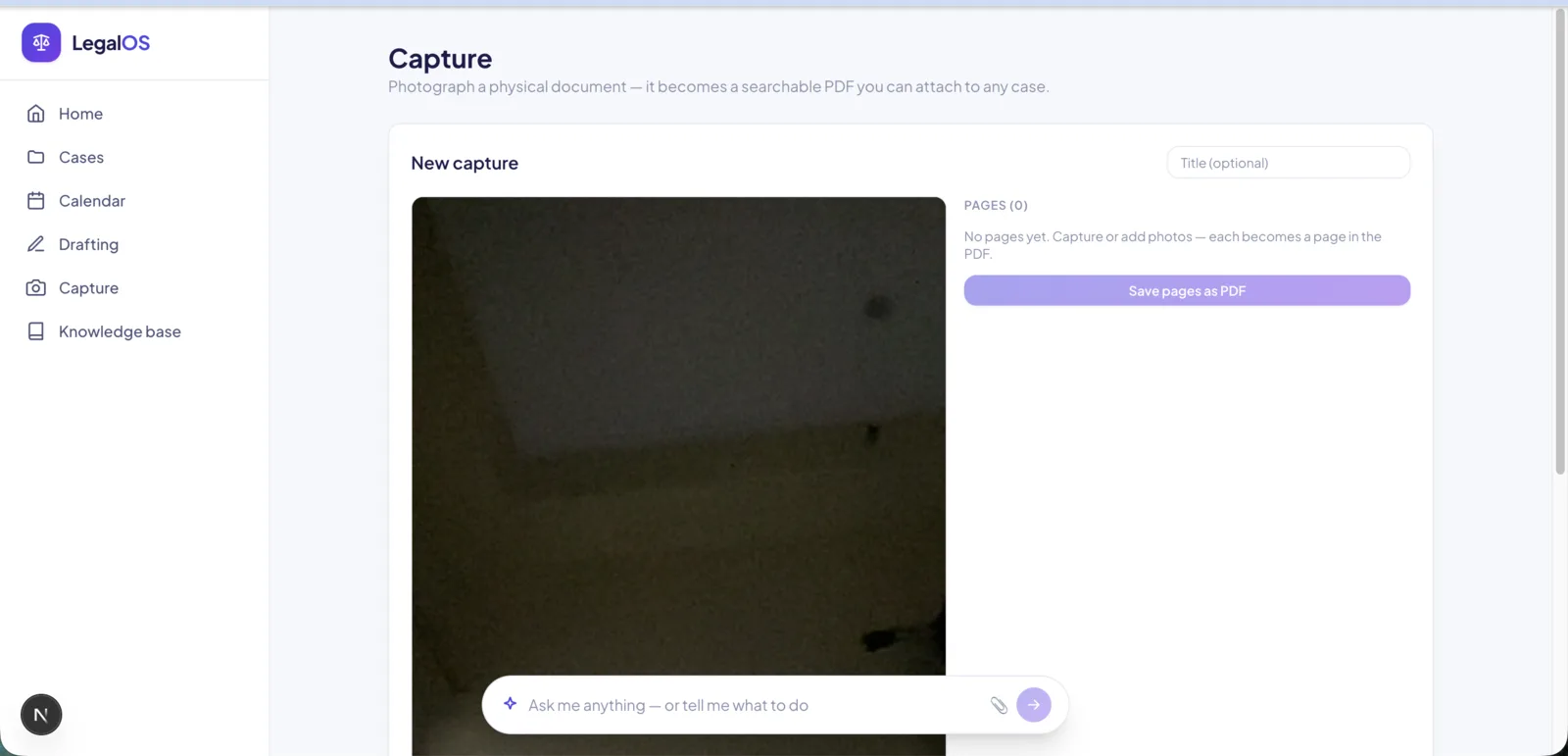
Snap one or more pages with the camera, or pick photos. They become a single PDF, OCR’d to text, ready to attach to any case where it is fully ingested and searchable.
Running the practice
See what needs attention and pick up where you left off.
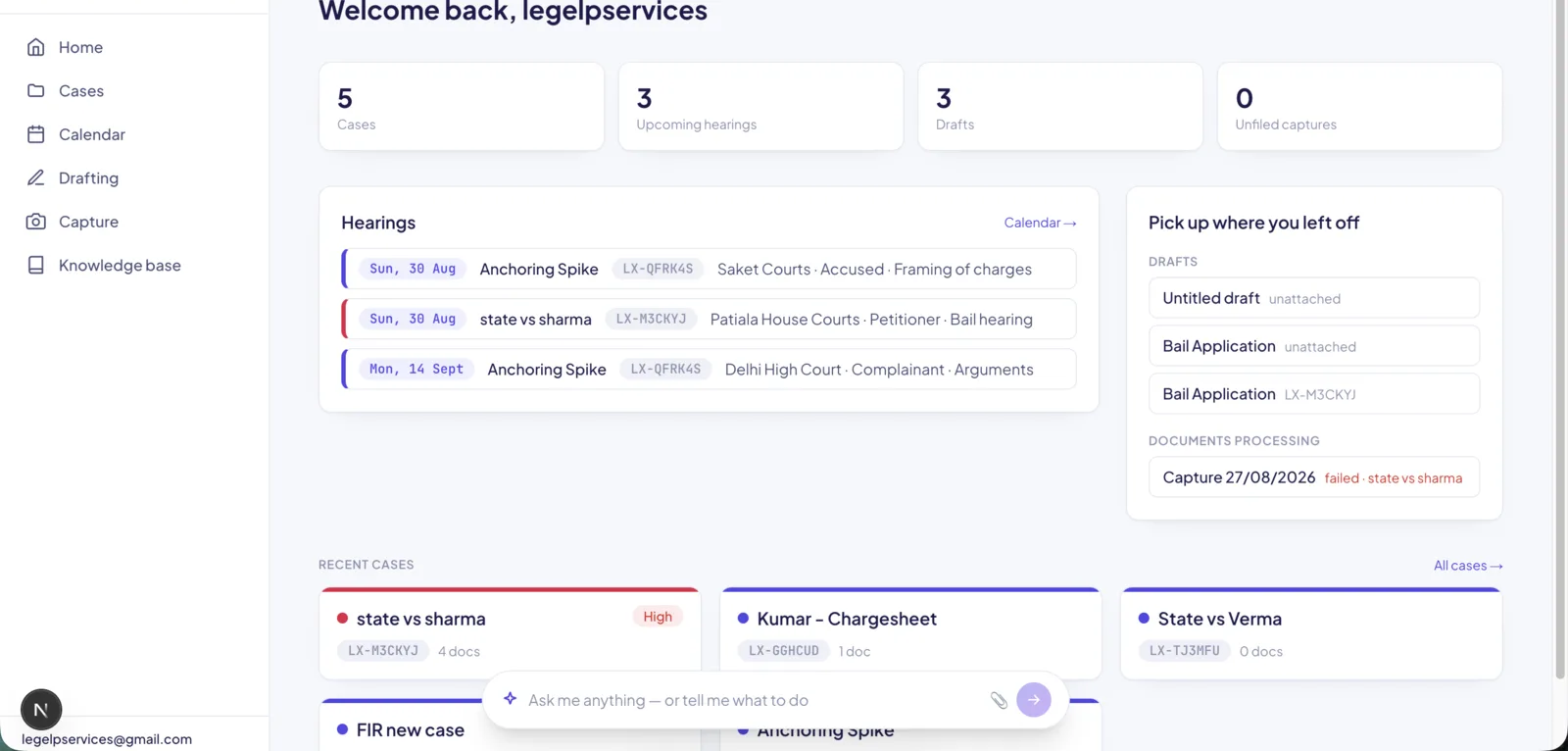
Dashboard
Resume where you left off
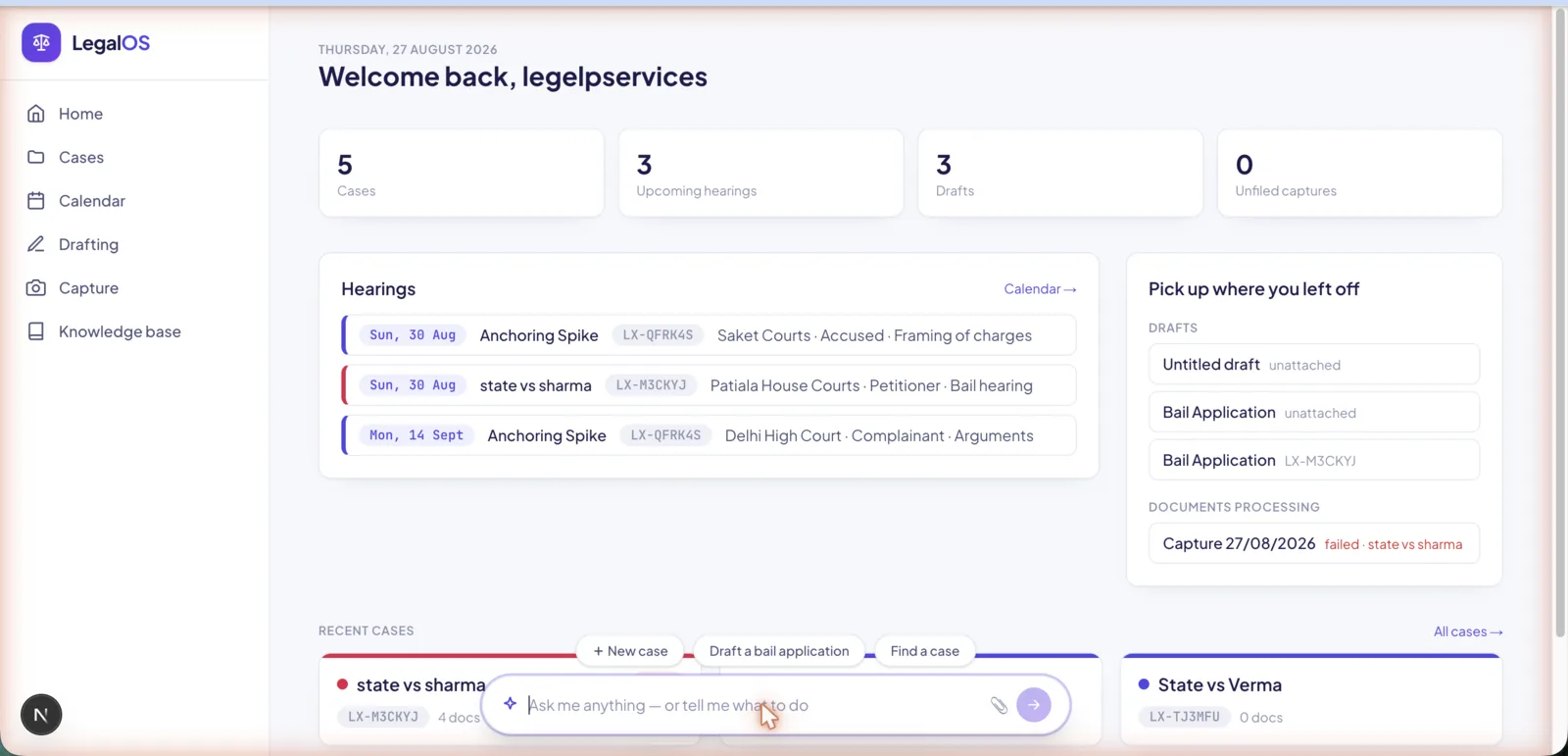
Today’s and upcoming hearings, drafts and captures in progress, documents still processing, and recent cases, each a link back into the work.
Cases with colour and priority
See what matters at a glance
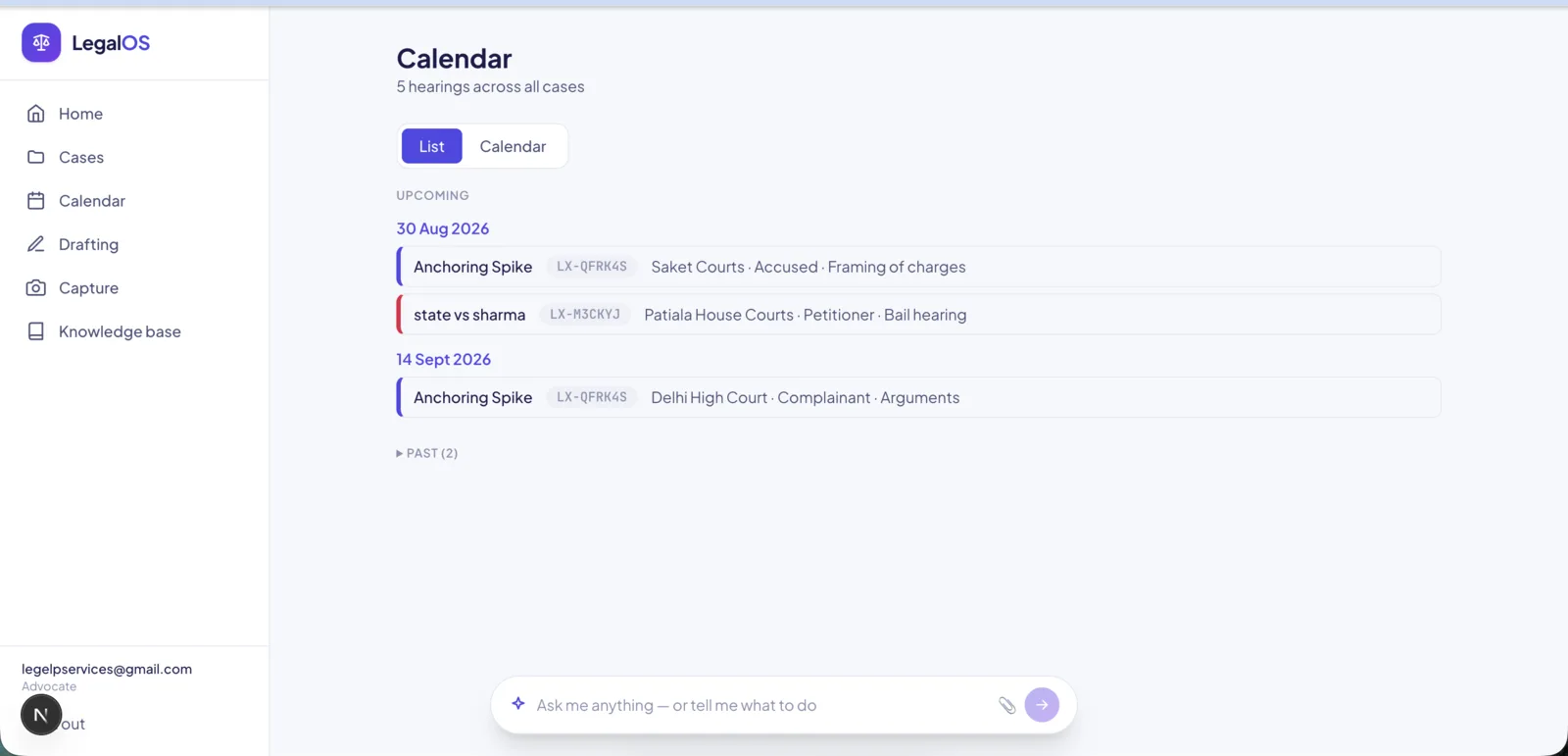
Give each case a colour and a priority. The case list sorts by priority and the colour carries through to the calendar and hearings.
Calendar and hearings
Every hearing, one place
Record hearings per case with date, court, party and purpose, and see them all in a chronological list or a month calendar, colour-coded by case.
Voice notes
Dictate, transcribed
Upload dictation or a recorded consultation and it is transcribed to a note on the case, in English or Hindi.
Clients
Share on your terms. Nothing leaks by default.
Client portal
Share safely, deny by default
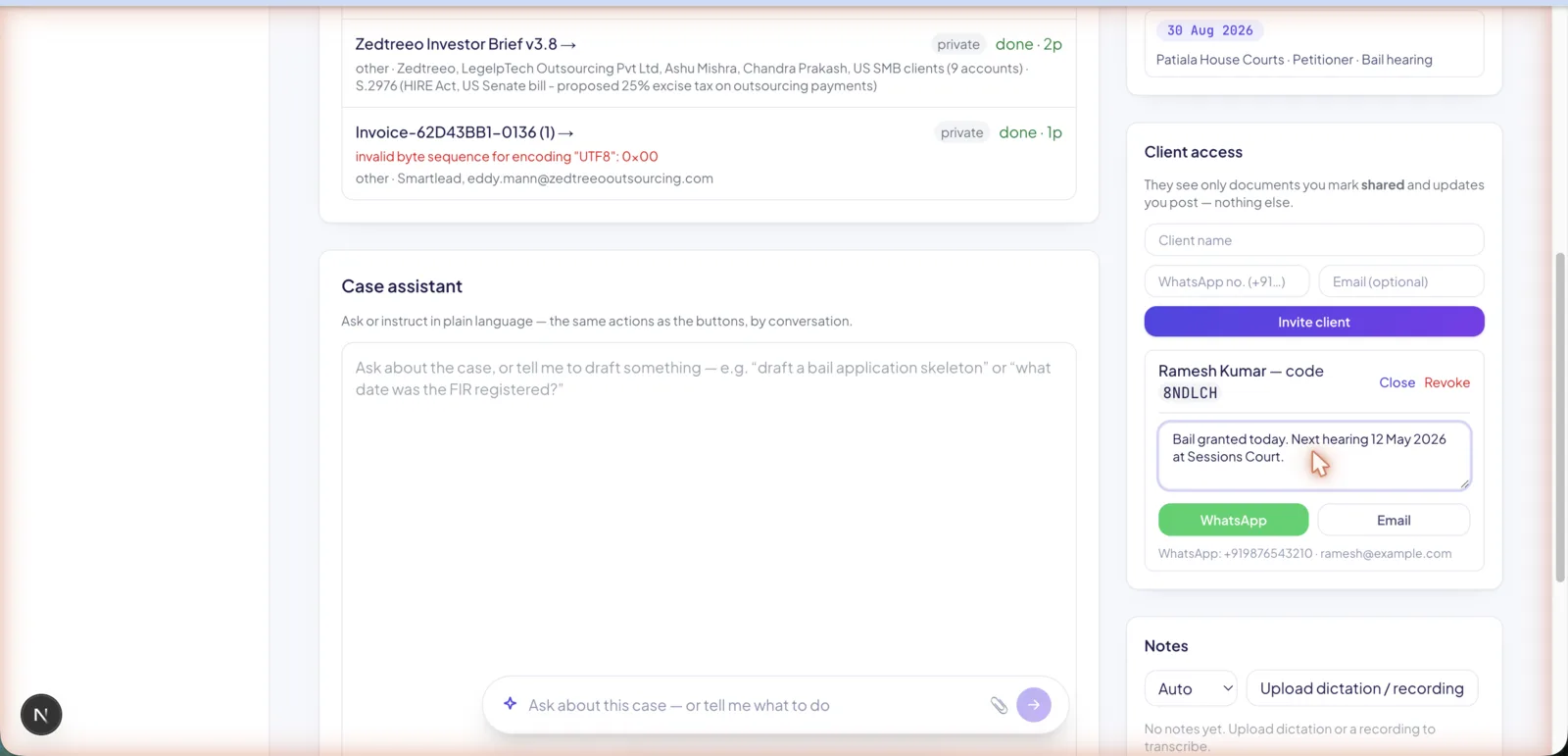
Invite a client with an access code. They see only the documents explicitly marked shared and the updates posted to them, and nothing else about the case.
Notify by WhatsApp or email
Reach clients who will not use the portal
Push an update straight to a client over WhatsApp or email, pre-filled with the message, the case reference, and their portal link and access code.
The product
Screens from the running system
Built and maintained in-house
Product design, engineering, deployment and ongoing maintenance are performed by LegelpTech Outsourcing Private Limited's own team. LegalOS is not a white-labelled or resold third-party system.
Case material handled as sensitive data
Legal case files are treated as personal data under India's DPDP Act. OCR, embeddings and transcription run locally by default, client sharing is deny-by-default, and the research layer is never visible to clients.
Free pilot
The first five advocates use LegalOS free
Create an account and your own private case file is ready in a minute: upload a judgment or chargesheet, ask questions and get answers with page citations, dictate drafts, track hearings, and share updates with clients. No card, no automatic charges — we agree any price with you in writing before a paid plan starts.
- Your cases are private to you — no other advocate can see them
- Stored in India: database, files and our AI server are in Mumbai
- Never sold, never used to train AI models, no ads
- Clients see only the documents you choose to share
Places are limited to five; after that you can join the waitlist. The demo is read-only and needs no sign-up. See how we protect case data. Firms wanting a guided walkthrough can request a demo. Feature descriptions and screenshots reflect the current build and change as the product develops.